
The Trust Center was introduced and macro-enabled files were differentiated (*.xlsm) with Excel 2007. Security settings in each new version of Excel default to disabling more macro-enabled content. This page discusses the Orwellian “Trust Center” and settings needed to restore functionallity to Excel macros and Add-Ins.
“Trust Center”
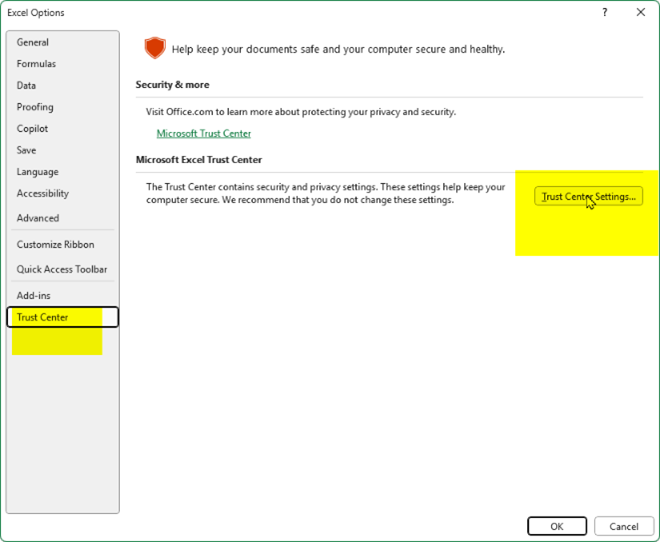
Access the Trust Center through the ribbon by selecting File>Options and the Excel Options form will appear.

First select Trust Center in the leftmost column and then click the redundant “Trust Center Setttings…” button on the right side of the form.
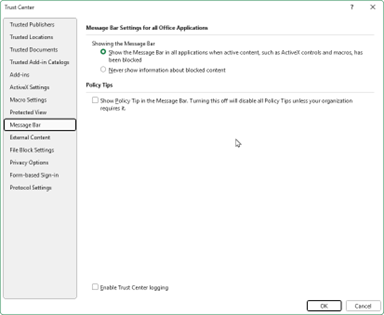
A new Trust Center form will appear,
2025 December, Excel 365—Disable ActiveX controls
ActiveX controls are buttons, scrollbars, and comboboxes (pull-down menus) that reside on worksheets in Excel workbook applications such as; CJ-Drawdown+Recovery, PLISM, PiperStiff, and Step Drawdown. Workbooks created by SeriesSEE also use ActiveX controls.
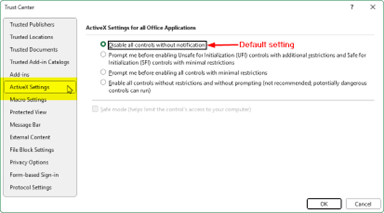
During 2025, Excel 365 was revised so that ActiveX controls default to being disabled without warning. This is corrected by selecting ActiveX Settings in the Trust Center.
“Disable all controls without notification” is the new default setting.
Revise to “Prompt me before enabling all controls with minimal restrictions” and uncheck “Safe mode.”
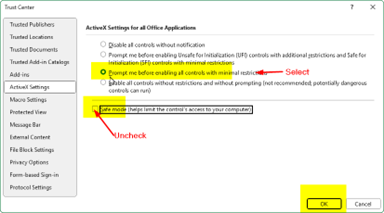
Click OK on each form until Trust Center and other forms are closed.
Trusted locations
Excel macros and Add-Ins work best in trusted locations in Excel security speak. A working directory and all sub-directories can be classified as a trusted location, which is set by selecting Trusted Locations in the Trust Center.
Click the “Add new locations…” button on the Trusted Locations of the Trust Center form
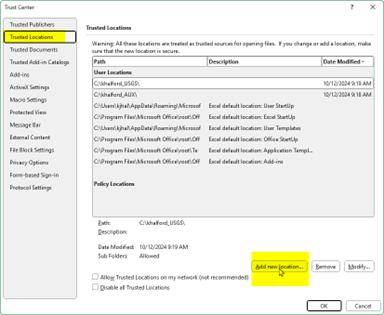
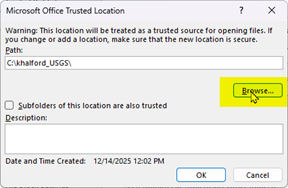
Browse for the root folder in the Microsoft Office Trusted Location form,
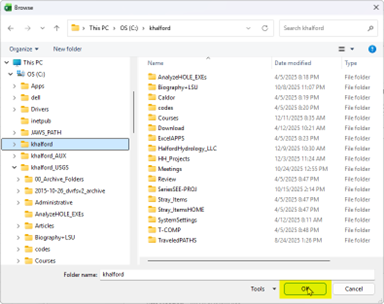
Select OK after identifying the root working folder,
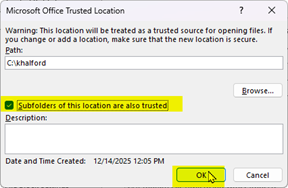
Selected root folder will appear in the Microsoft Office Trusted Location form,
Check “Subfolders of this location are also trusted” option, and
Click OK.
New root folder will appear under list of paths on the Trusted Locations in the form.
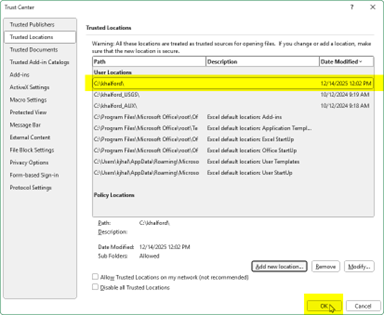
Click OK on each form until Trust Center and other forms are closed.